Editing a Check in or a Check Out
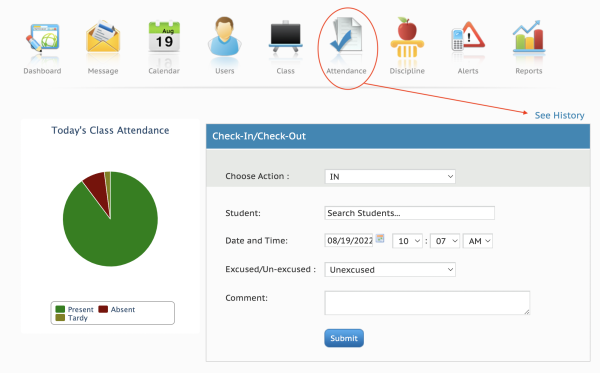
As an admin, you will handle the students' late arrivals and early departures from campus through the Attendance icon in your Admin dashboard menu, in the Check-In/Check-out box.
If you need to edit or delete an entry in the Check-In/Check-Out section, you will click on the attendance icon, select "See History".
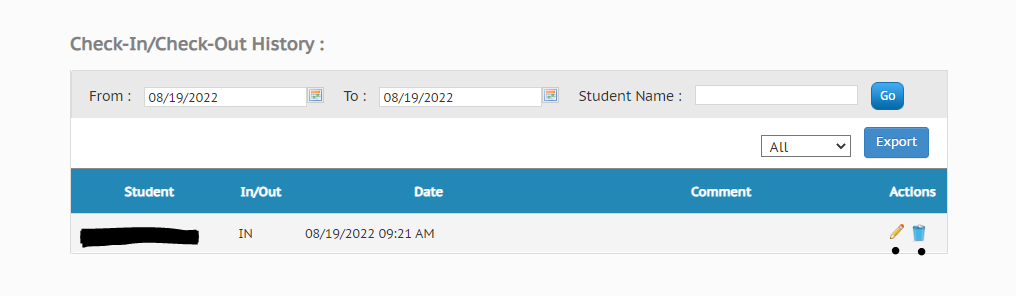
Once in the Check-In/Check-Out History, the Actions section will give you two option for each entry:
- Pencil = Edit the entry. This includes adding a comment, changing the time of arrival/departure, etc.
- Trash Can = Permanently delete. Use this if the entry was entered in error and should be removed.